
Plans
What Watch, Core, Pro and Provider include, and how your plan affects forecasts, workspaces, charts and alerts.
Last updated on Nov 16, 20262 min read
Radar 61 has four plans. Your plan sets how fresh your feed is, how much of the confidence range you see, and how many workspaces, widgets and alerts you can use.
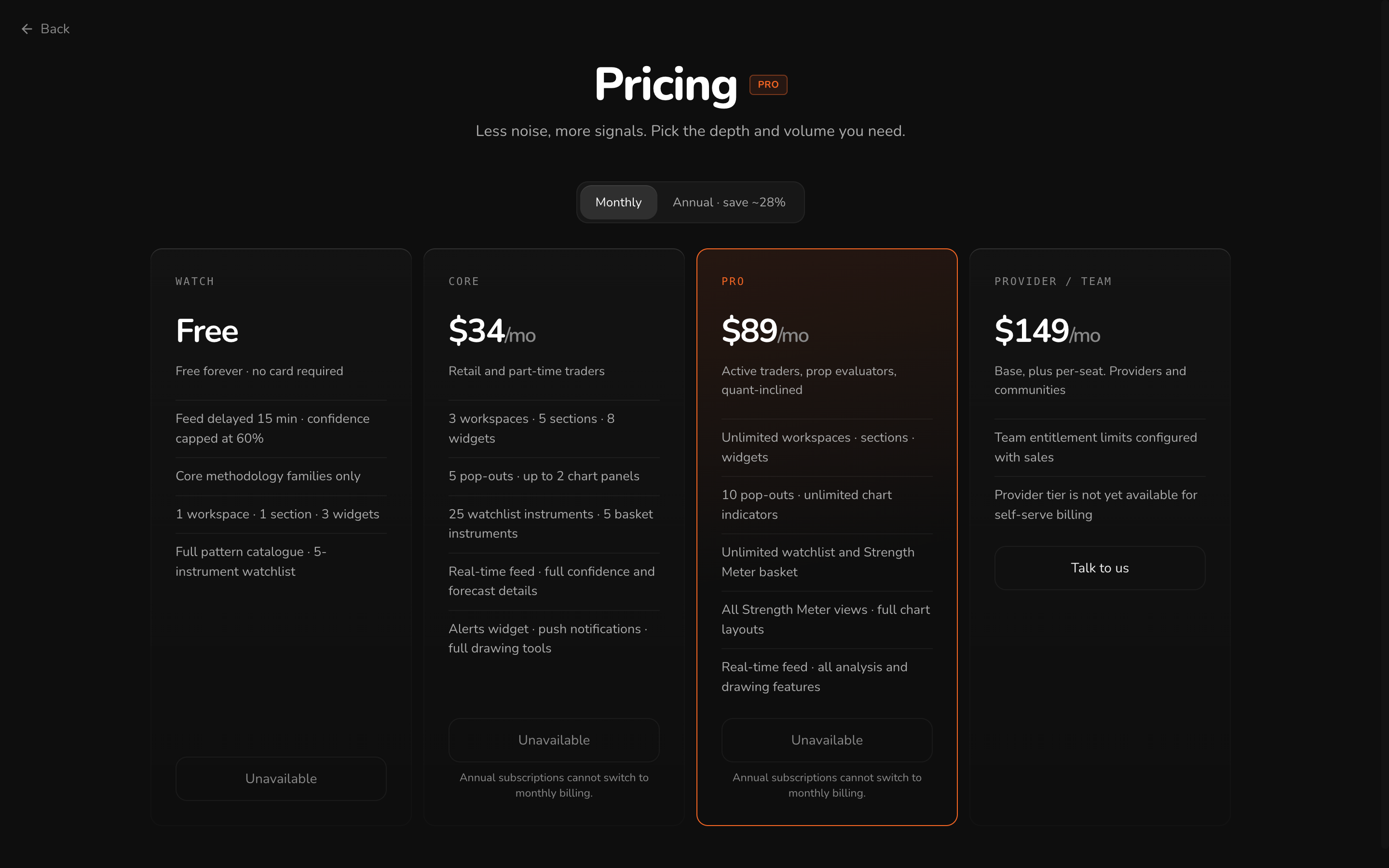
Comparing plans
| Watch | Core | Pro | Provider / Team | |
|---|---|---|---|---|
| Price | Free | $34 / month | $89 / month | From $149 / month plus seats |
| Forecast feed | Delayed 15 minutes, confidence capped at 60% | Full confidence and forecast details | All analysis and drawing features | Configured with sales |
| Methodologies | Core families only | All | All | All |
| Workspaces | 1 workspace, 1 section, 3 widgets | 3 workspaces, 5 sections, 8 widgets | Unlimited | Configured with sales |
| Pop-out widgets | – | 5, up to 2 chart panels | 10, unlimited chart indicators | – |
| Watchlist | 5 instruments | 25 instruments, 5 in a Compass basket | Unlimited, with unlimited baskets | – |
| Compass | – | – | All views | – |
| Alerts | – | Alerts widget and push notifications | Unlimited active alerts | – |
| Drawing tools | – | Full set | Full set, and full chart layouts | – |
A dash means the Pricing page doesn't list it for that plan. Prices are shown monthly. Annual billing saves about 28%. The Pricing page always shows the current figures.
Plan limits show in the app. When something needs a higher plan, the control says so and links to the upgrade. The status bar shows your plan and your feed delay at all times.
Changing your plan
Open Settings → Plan & billing, or click the plan badge in the status bar.
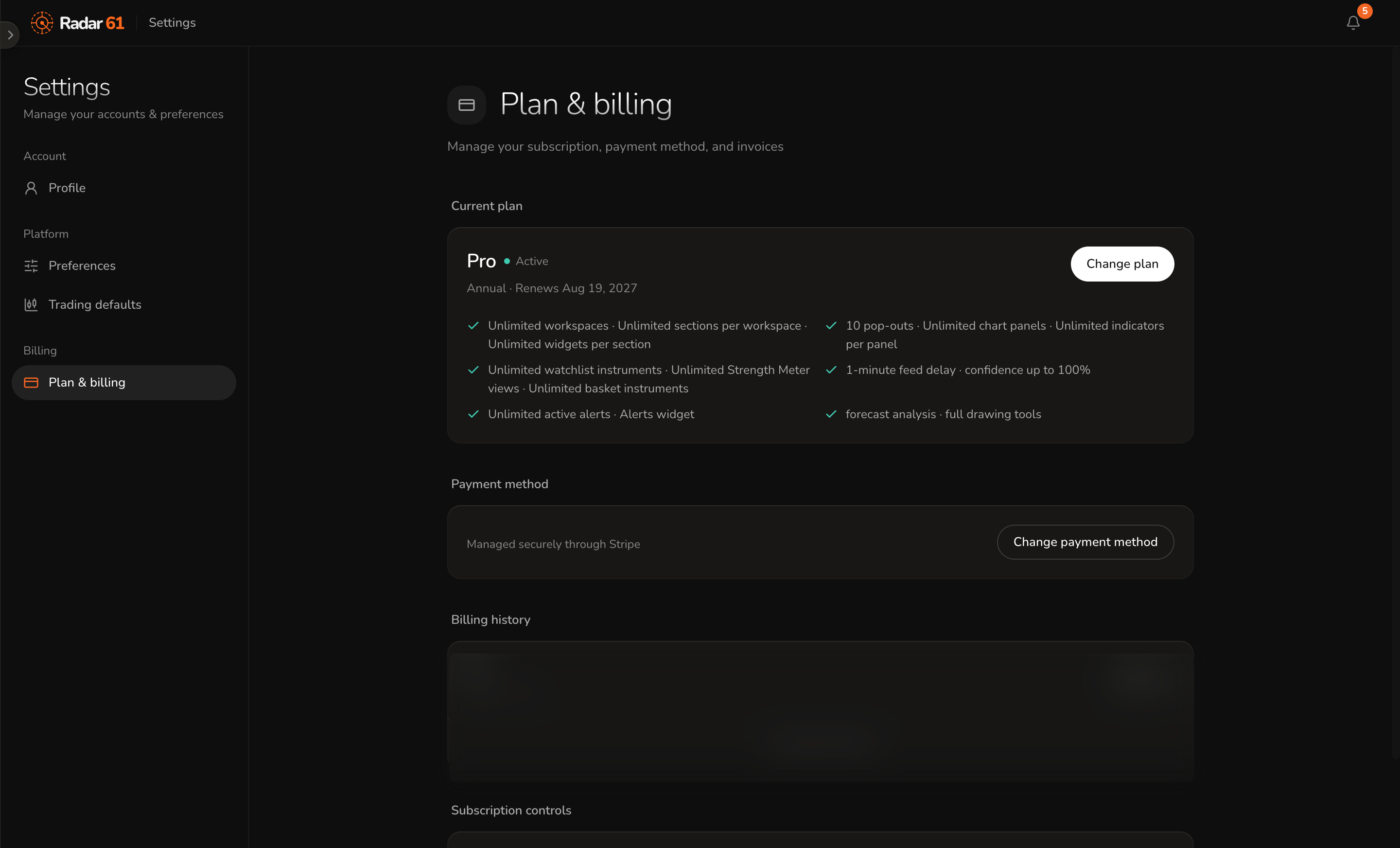
- Change plan moves you to another plan. Annual plans can't switch to monthly billing part way through a term.
- Change payment method updates your card. Payments are handled by Stripe, and Radar 61 never stores your card details.
- Billing history lists your invoices.
- Subscription controls manage the subscription itself.