
Apps
Ready-made screens built and tuned for one job. Open one and you're live, with no layout to arrange and nothing to configure.
An app is a finished screen: the widgets are chosen, arranged and set up for a particular way of working. Open Apps in the sidebar, or All apps, to see them.
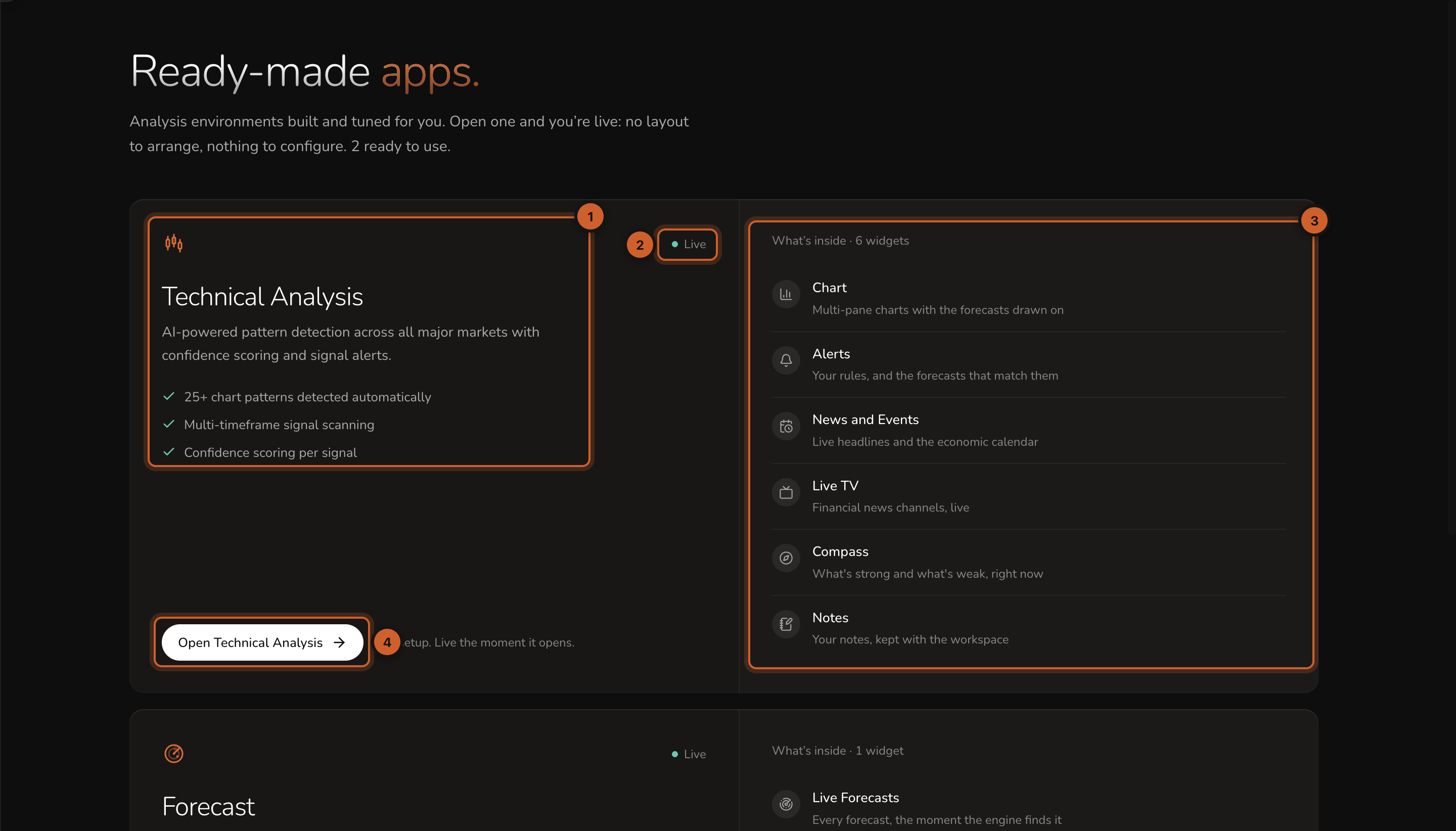
- What the app does, and its main features.
- Live means the app is ready to use.
- What's inside: the widgets the app is made of.
- Opens the app.
Technical Analysis
Pattern detection across every major market, with confidence scoring and alerts. It has two sections.
- Chart: a full Chart with Technical Analysis switched on, set to chart patterns.
- Market Desk: Alerts, News Events, Live TV, Compass and Trader Notes.
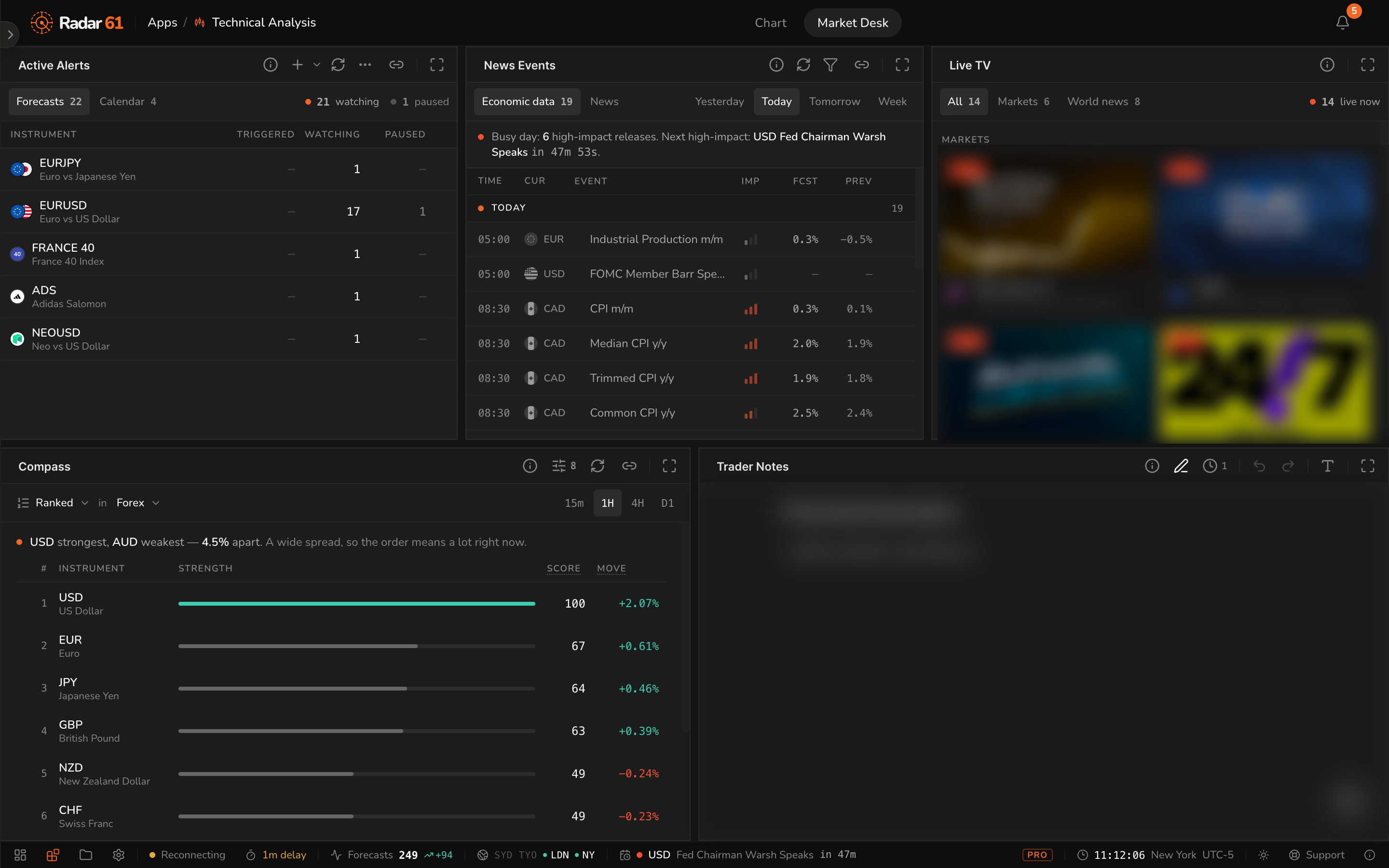
Switch between sections with the tabs at the top of the screen.
Forecast
Every forecast, the moment the engine finds it, in one Live Forecasts widget with its spotlight chart. Click a forecast for Forecast Analysis.
Apps and workspaces
| Apps | Workspaces | |
|---|---|---|
| Set up | Ready to use | You build them |
| Layout | Fixed, though you can resize panels and expand widgets | Fully yours |
| Widgets | Chosen for you | Any widget, anywhere |
| Best for | Getting straight to work | Your own way of working |
Changes you make inside an app, such as the chart's instrument, layout or drawings, are remembered on this device. To build a screen your way, create a workspace.